
What’s Included?
 High-Quality Video Lessons
 Digital courseware, e-books & audio access
 Recorded sessions, accessible on tablet & phone
 AI mentor support & module quizzes
Prerequisites
- Understanding of Adobe Creative Cloud Tools
- Basic Knowledge of Generative AI Concepts
- Adobe Account
Skills You’ll Gain
- Vector Artwork Manipulation
- Mood-Boarding and Storyboarding
- Image Editing with Generative Fill
- Video Generation from Text Prompts
- Sound Design with AI
- Generative Credits
Self Study Materials Included

Videos & Engaging Visual Content

Podcasts & Audiobooks
Expert discussions and audio episodes covering key topics

E-Books
Downloadable guides

Module-Wise Quizzes
Interactive quizzes after each module to reinforce learning.
Tools You’ll Master

Generative Match (Beta)
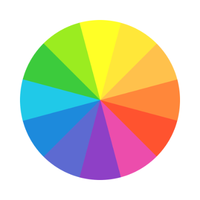
Recolor (Illustrator)
Generative Expand

Boards Tool

Generative Fill

Text to Sound Effects Tool
What You’ll Learn
Learn to create images, videos, and sound effects from detailed text prompts, tailoring your results using specific styles and themes.
Master tools like Generative Fill and Generative Expand to manipulate and enhance images, including adding or removing elements and extending canvases.
Gain skills in generating video clips from text descriptions, including adjusting resolution, aspect ratio, camera angles, and other video settings.
Learn to recolor vector artwork in Illustrator, adjusting color schemes and experimenting with various palettes for different themes.
Understand how to work with Firefly’s suite of tools for mood-boarding, sound design, and managing generative credits for optimal creative workflows.
Course Modules
Module 1: Image Generation and Customization with Adobe Firefly
- 1.1 Creating a Custom Logo
- 1.2 Designing an Abstract Background for Web Use
- 1.3 Generating Detailed Illustrations
- 1.4 Creating Product Mockups for Marketing
Module 2: Video Generation and Editing with Adobe Firefly
- 2.1 Generating Animated Social Media Clips
- 2.2 Crafting a Promotional Video for a Product Launch
- 2.3 Designing a Looping Background Animation
- 2.4 Adding Motion Graphics to a Video
Module 3: Vector Graphics and Photo Editing with Adobe Firefly
- 3.1 Creating Custom Vector Icons
- 3.2 Designing a Vector-Based Infographic
- 3.3 Editing Photos for Social Media Posts
- 3.4 Retouching Portraits with Adobe Firefly
Frequently Asked Questions
Adobe Firefly is a suite of generative AI tools that allows you to create images, videos, vectors, sound effects, and more from text prompts. It integrates with Adobe Creative Cloud apps and operates using generative credits.
While prior knowledge of Adobe Creative Cloud tools like Photoshop and Illustrator can be beneficial, the course is designed to teach users how to effectively utilize Firefly’s AI features even without extensive experience.
Generative credits are used when creating content using Firefly’s tools. Standard features typically cost one credit per generation, while premium models may consume more credits. Unused credits reset monthly.
Yes, Adobe Firefly offers a "Text to Video" tool that allows users to generate short video clips from descriptive text prompts, with customizable settings like resolution and camera angles.
Firefly includes tools like Text to Image, Generative Fill, Generative Recolor for Illustrator, Text to Video, and Text to Sound Effects, along with features for mood-boarding and managing creative assets.